





SMART PC CONFIGURATOR
PC configurator — we build a computer around your budget
Answer a few questions and we will put together a complete build within your budget.
We check compatibility · ready in 5 minutes
SMART PC CONFIGURATOR
PC configurator — we build a computer
around your budget
Tell us your budget and what the computer is for. We choose parts from the stores we track, check they fit together, and show finished builds at today's prices.
What do you need?
All three end in the same place: a complete set of parts that work together. The difference is how much you pick yourself.
You tell us what you want to spend and what the PC is for. We pick the whole set of parts, check they work together and show you the prices. You can swap any part afterwards.
- A complete build within your budget
- We check the parts work together
- Swap any part afterwards

A ready build
Cheapest, for home and office
A PC for the web, studying, video and office work. We work these builds out in advance, so there's no questionnaire — you look at what's ready and pick one.
- The lowest price available
- Ready builds, no questionnaire
- For work, study and video

A build for a set budget
We pick all the parts for you
You tell us what you want to spend and what the PC is for. We pick the whole set of parts, check they work together and show you the prices. You can swap any part afterwards.
- A complete build within your budget
- We check the parts work together
- Swap any part afterwards

Control over every part
We check every part you pick
You choose the parts yourself. At each step we check the new part against the rest of your build, and say so when something doesn't fit.
- Pick from the whole parts database
- Compatibility checked as you go
- Start from parts you already own

Looking for a laptop instead?
Tell us your budget and what you need it for. We'll pick laptops that fit and show you where each one is cheapest.
Gaming PC for 5,000 PLN
+17%
The same money buys a stronger mixed build
The graphics card is 17% faster than in the best build a single store can supply.
 best single-store build
4,983PLN
totalSelected components:
Processor649 pln
Intel i5-14400FProcessor:Intel i5-14400F649 pln
Graphics card2399 pln
PNY GeForce RTX 5060 Ti OC Dual Fan 8GB DLSS 4Graphics card:PNY GeForce RTX 5060 Ti OC Dual Fan 8GB DLSS 42399 pln
Motherboard289 pln
Gigabyte H610M K DDR4Motherboard:Gigabyte H610M K DDR4289 pln
Memory628 pln
G.Skill Ripjaws V DDR4 (2x8GB) 16GB 3200 CL16Memory:G.Skill Ripjaws V DDR4 (2x8GB) 16GB 3200 CL16628 pln
SATA SSD489 pln
GOODRAM CX400 Gen.2 1TBSATA SSD:GOODRAM CX400 Gen.2 1TB489 pln
Power supply199 pln
Gigabyte P650SS ICE 650W 80+ Silver BiaPower supply:Gigabyte P650SS ICE 650W 80+ Silver Bia199 pln
Case185 pln
Aerocool PGS CYLONCase:Aerocool PGS CYLON185 pln
CPU cooler145 pln
Darkflash E400 Plus ARGB BiałyCPU cooler:Darkflash E400 Plus ARGB Biały145 pln
 mixed configuration
4,973PLN
totalSelected components:
Processor499 pln
Intel i5-12400FProcessor:Intel i5-12400F499 pln
Graphics card2849 pln
Sapphire Pulse Radeon RX 9070 GRE 12GBGraphics card:Sapphire Pulse Radeon RX 9070 GRE 12GB2849 pln
Motherboard259 pln
ASRock H610M-HVS/M.2 R2.0 DDR4Motherboard:ASRock H610M-HVS/M.2 R2.0 DDR4259 pln
Memory569 pln
Patriot Signature Premium DDR4 2x8GBMemory:Patriot Signature Premium DDR4 2x8GB569 pln
SATA SSD489 pln
GOODRAM CX400 Gen.2 1TBSATA SSD:GOODRAM CX400 Gen.2 1TB489 pln
Power supply169 pln
Gembird Fornax Power 850W 80+ BronzePower supply:Gembird Fornax Power 850W 80+ Bronze169 pln
Case90 pln
Akyga AK939BLCase:Akyga AK939BL90 pln
CPU cooler49 pln
Endorfy Spartan 5CPU cooler:Endorfy Spartan 549 pln
We compare against the best complete build a single store can supply — the cheapest one no other store beats, today Media Expert. The mixed build's graphics card is no slower, its memory and storage are the same, and its processor is chosen so it won't hold the card back. The case, cooler and power supply may differ. Buying in several stores means several deliveries.
A gaming PC for every budget
Every gaming PC here is priced from what the stores are charging today, and we refresh those prices four times a day. Open one to see the full specification and the same budget at each store on its own.
- Build under 3000 PLN2,962PLNtotalSee the build under 3000 PLN
Selected components:
Processor649 plnIntel i5-14400FProcessor:Intel i5-14400F649 plnGraphics card549 plnGigabyte Radeon RX 6500 XT EAGLE 4GBGraphics card:Gigabyte Radeon RX 6500 XT EAGLE 4GB549 plnMotherboard289 plnASUS PRIME H610M-E D4-CSM DDR4Motherboard:ASUS PRIME H610M-E D4-CSM DDR4289 plnMemory569 plnPatriot Signature Premium DDR4 2x8GBMemory:Patriot Signature Premium DDR4 2x8GB569 plnNVMe SSD370 plnAGI AI298 512GB SSDNVMe SSD:AGI AI298 512GB SSD370 plnPower supply199 plnGigabyte P650SS ICE 650W 80+ Silver BiaPower supply:Gigabyte P650SS ICE 650W 80+ Silver Bia199 plnCase198 plnRedragon Ventra AirCase:Redragon Ventra Air198 plnCPU cooler139 plnSMX TaifuCPU cooler:SMX Taifu139 plnGraphics performance: 7,341 points. The number is there to compare builds against each other.Below 3,500 PLN we don't call a build a gaming one. - Build under 4000 PLN3,994PLNtotalSee the gaming PC under 4000 PLN
Selected components:
Processor449 plnIntel i3-14100FProcessor:Intel i3-14100F449 plnGraphics card2199 plnZotac GAMING GeForce RTX 5060 Twin Edge PLUSGraphics card:Zotac GAMING GeForce RTX 5060 Twin Edge PLUS2199 plnMotherboard249 plnBiostar H610MHC 2.0Motherboard:Biostar H610MHC 2.0249 plnMemory569 plnPatriot Signature Premium DDR4 2x8GBMemory:Patriot Signature Premium DDR4 2x8GB569 plnSATA SSD270 plnAGI AI238 512GB SSDSATA SSD:AGI AI238 512GB SSD270 plnPower supply159 plnXPG Probe 600W 80+ Bronze CzarnyPower supply:XPG Probe 600W 80+ Bronze Czarny159 plnCase99 plnDarkflash Aquarius MeshCase:Darkflash Aquarius Mesh99 plnGraphics performance: 25,347 points. The number is there to compare builds against each other.Graphics card 245% faster than in the 3,000 PLN build. - Build under 5000 PLN4,973PLNtotalSee the gaming PC under 5000 PLN
Selected components:
Processor499 plnIntel i5-12400FProcessor:Intel i5-12400F499 plnGraphics card2849 plnSapphire Pulse Radeon RX 9070 GRE 12GBGraphics card:Sapphire Pulse Radeon RX 9070 GRE 12GB2849 plnMotherboard259 plnASRock H610M-HVS/M.2 R2.0 DDR4Motherboard:ASRock H610M-HVS/M.2 R2.0 DDR4259 plnMemory569 plnPatriot Signature Premium DDR4 2x8GBMemory:Patriot Signature Premium DDR4 2x8GB569 plnSATA SSD489 plnGOODRAM CX400 Gen.2 1TBSATA SSD:GOODRAM CX400 Gen.2 1TB489 plnPower supply169 plnGembird Fornax Power 850W 80+ BronzePower supply:Gembird Fornax Power 850W 80+ Bronze169 plnCase90 plnAkyga AK939BLCase:Akyga AK939BL90 plnCPU cooler49 plnEndorfy Spartan 5CPU cooler:Endorfy Spartan 549 plnGraphics performance: 29,553 points. The number is there to compare builds against each other.Graphics card 17% faster than in the 4,000 PLN build. - Build under 6000 PLN5,942PLNtotalSee the gaming PC under 6000 PLN
Selected components:
Processor649 plnIntel i5-14400FProcessor:Intel i5-14400F649 plnGraphics card3399 plnASUS Prime Radeon RX 9070 EVO OC Edition 16GBGraphics card:ASUS Prime Radeon RX 9070 EVO OC Edition 16GB3399 plnMotherboard289 plnASUS PRIME H610M-E D4-CSM DDR4Motherboard:ASUS PRIME H610M-E D4-CSM DDR4289 plnMemory569 plnPatriot Signature Premium DDR4 2x8GBMemory:Patriot Signature Premium DDR4 2x8GB569 plnSATA SSD489 plnGOODRAM CX400 Gen.2 1TBSATA SSD:GOODRAM CX400 Gen.2 1TB489 plnPower supply239 plnGigabyte P650G PCIE 5.1 650W 80+ GoldPower supply:Gigabyte P650G PCIE 5.1 650W 80+ Gold239 plnCase169 plnDarkflash DS900WS BiałyCase:Darkflash DS900WS Biały169 plnCPU cooler139 plnSMX TaifuCPU cooler:SMX Taifu139 plnGraphics performance: 30,392 points. The number is there to compare builds against each other.Graphics card 3% faster than in the 5,000 PLN build. - Build under 7000 PLN6,998PLNtotalSee the gaming PC under 7000 PLN
Selected components:
Processor1049 plnAMD Ryzen 7 9700XProcessor:AMD Ryzen 7 9700X1049 plnGraphics card3399 plnASUS Prime Radeon RX 9070 EVO OC Edition 16GBGraphics card:ASUS Prime Radeon RX 9070 EVO OC Edition 16GB3399 plnMotherboard319 plnMSI PRO A620AM-B EVOMotherboard:MSI PRO A620AM-B EVO319 plnMemory1199 plnLexar Thor 2nd Gen DDR5 2x8GBMemory:Lexar Thor 2nd Gen DDR5 2x8GB1199 plnSATA SSD489 plnGOODRAM CX400 Gen.2 1TBSATA SSD:GOODRAM CX400 Gen.2 1TB489 plnPower supply269 plnGembird Fornax Power 750W 80 Plus GoldPower supply:Gembird Fornax Power 750W 80 Plus Gold269 plnCase135 plnKrux VakoCase:Krux Vako135 plnCPU cooler139 plnSMX TaifuCPU cooler:SMX Taifu139 plnGraphics performance: 30,392 points. The number is there to compare builds against each other. - Build under 8000 PLN7,993PLNtotalSee the gaming PC under 8000 PLN
Selected components:
Processor1049 plnAMD Ryzen 7 9700XProcessor:AMD Ryzen 7 9700X1049 plnGraphics card4200 plnASRock Radeon RX 9070 XT Steel Legend 16GBGraphics card:ASRock Radeon RX 9070 XT Steel Legend 16GB4200 plnMotherboard399 plnASUS PRIME B840M-A-CSMMotherboard:ASUS PRIME B840M-A-CSM399 plnMemory1199 plnLexar Thor 2nd Gen DDR5 2x8GBMemory:Lexar Thor 2nd Gen DDR5 2x8GB1199 plnSATA SSD489 plnGOODRAM CX400 Gen.2 1TBSATA SSD:GOODRAM CX400 Gen.2 1TB489 plnPower supply279 plnEnermax Marblebron II 850W 80 Plus BronzePower supply:Enermax Marblebron II 850W 80 Plus Bronze279 plnCase199 plnDarkflash DS950 BiałyCase:Darkflash DS950 Biały199 plnCPU cooler179 plnDeepCool AG620 BK ARGB V2 CzarnyCPU cooler:DeepCool AG620 BK ARGB V2 Czarny179 plnGraphics performance: 35,080 points. The number is there to compare builds against each other.Graphics card 15% faster than in the 7,000 PLN build. - Build under 9000 PLN8,994PLNtotalSee the gaming PC under 9000 PLN
Selected components:
Processor1269 plnAMD Ryzen 7 7800X3DProcessor:AMD Ryzen 7 7800X3D1269 plnGraphics card4200 plnASRock Radeon RX 9070 XT Steel Legend 16GBGraphics card:ASRock Radeon RX 9070 XT Steel Legend 16GB4200 plnMotherboard399 plnASUS PRIME B840M-A-CSMMotherboard:ASUS PRIME B840M-A-CSM399 plnMemory2199 plnPatriot Viper Venom DDR5 2x16GBMemory:Patriot Viper Venom DDR5 2x16GB2199 plnSATA SSD489 plnGOODRAM CX400 Gen.2 1TBSATA SSD:GOODRAM CX400 Gen.2 1TB489 plnPower supply169 plnGembird Fornax Power 850W 80+ BronzePower supply:Gembird Fornax Power 850W 80+ Bronze169 plnCase99 plnDarkflash B351Case:Darkflash B35199 plnCPU cooler170 plnDeepCool CPU AK400 BiałyCPU cooler:DeepCool CPU AK400 Biały170 plnGraphics performance: 35,080 points. The number is there to compare builds against each other. - Build under 10000 PLN9,957PLNtotalSee the gaming PC under 10000 PLN
Selected components:
Processor1799 plnAMD Ryzen 7 9800X3DProcessor:AMD Ryzen 7 9800X3D1799 plnGraphics card4200 plnASRock Radeon RX 9070 XT Steel Legend 16GBGraphics card:ASRock Radeon RX 9070 XT Steel Legend 16GB4200 plnMotherboard759 plnGigabyte B650 AORUS ELITE AX ICEMotherboard:Gigabyte B650 AORUS ELITE AX ICE759 plnMemory1199 plnLexar Thor 2nd Gen DDR5 2x8GBMemory:Lexar Thor 2nd Gen DDR5 2x8GB1199 plnNVMe SSD700 plnGOODRAM Core 1TB SSDNVMe SSD:GOODRAM Core 1TB SSD700 plnPower supply499 plnSMX Okame G3 1000W ATX 3.1Power supply:SMX Okame G3 1000W ATX 3.1499 plnCase469 plnCorsair 3500X RSR ARGB WhiteCase:Corsair 3500X RSR ARGB White469 plnCPU cooler333 plnThermalright Frozen Notte 360 ARGB V2 BiałyCPU cooler:Thermalright Frozen Notte 360 ARGB V2 Biały333 plnGraphics performance: 35,080 points. The number is there to compare builds against each other.
How it works
4 simple steps to your PC
- 01
You say what you need
Say what you need
- 02
We crunch the numbers
We analyze parts and prices
- 03
You get a shortlist
You get several builds to compare
- 04
You buy
Buy through our store links
01
You say what you need
A ready build, a build for a set budget, or control over every part.
02
We crunch the numbers
We work through thousands of compatible parts and their current prices.
03
You get a shortlist
Several complete builds, checked for compatibility and balanced for performance and price.
04
You buy
Order your chosen build through our links to each store.
How does this help you?
Why you can trust us
Compatibility
Best value
Up-to-date database
No sponsors
How we choose the parts
Repeatable rules, not opinions
Choosing starts with dividing the budget, not with a list of parts. The graphics card takes the largest share, because it is the part that draws the picture in games. The processor and the power supply have to keep up with it, or it will not show what it can do.
The proportions did not come from instinct. We looked at our own catalog to see how gaming performance rises with the price of a card, and set the point where spending more stops paying off.
Every build then goes through roughly thirty compatibility rules: from the processor socket, through cooler height inside the case, to the length of the graphics card.
The power supply always gets headroom above the calculated draw. That headroom grows when a card's consumption is not known from a reliable source. We would rather add a little to the price than recommend a machine that shuts down under load.
What we don't do: we don't guess. Where product data is missing, we say so instead of filling in a plausible number.
The selection methodology was devised by Tomasz Synowski.
Biggest price drops of the past month
For each type of part, up to three products whose price has fallen most compared with a month ago. Click a product to see its specifications and price history.

Motherboard

Memory

SSD

Hard drive

Power supply

Case

CPU cooler
How we rank them: today's price at the cheapest store against the product's typical price a month ago, ordered by percentage drop. We leave out products whose price has only gone back to where it was before a temporary rise. We also take products off the list by hand when their price a month ago looks questionable. Prices as of 3 November.
Where the prices come from
Current prices, refreshed four times a day
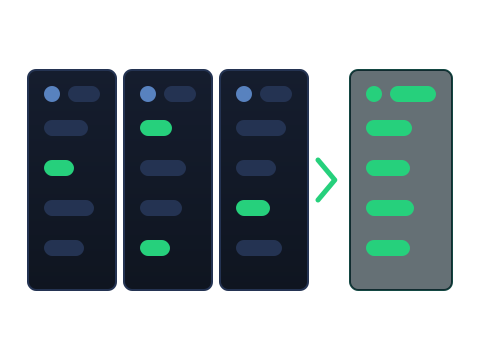
We take prices and availability from the stores we track: X-Kom, Komputronik, Media Expert and RTV Euro AGD. We refresh them four times a day, so the build on screen is calculated at today's prices, not last month's.
For every request we show a mixed build, which takes each part wherever it is cheapest at that moment, and a separate build from each store. The mixed one usually comes out cheaper, but it means several parcels and separate complaints. A single-store build is one delivery, and often the option to have the store assemble it.
The lowest price is not always the best one. A product can be listed while the store has none, and the cheapest version of a card can come with a weaker cooler and a shorter warranty. So we take you to the specific offer, to check before you buy.
We earn a commission from the stores. Buying through our link supports the site, and the price you pay does not change. The commission has no effect on which parts we choose or on the order of the results — no store can pay us for a higher position.
Who this is for
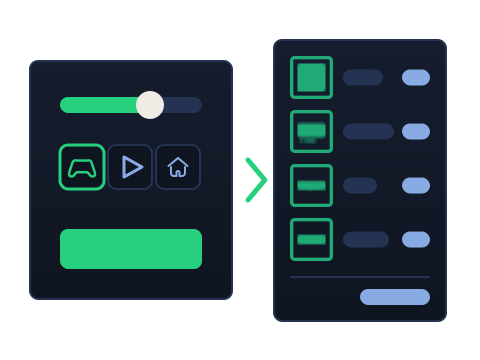
Three situations where it saves you the most time
You are building your first PC. You roughly know what you want to spend, but you are not sure whether the processor fits the motherboard, or whether the card will fit in the case. We answer those questions for you, so you do not have to learn socket names or standards to buy a machine that works.
You are replacing an aging machine. A computer a few years old rarely needs everything replaced at once, but it is hard to judge on your own which part is holding the rest back. Take control over every part and mark what stays — we will build around it and check that the new parts will work with it.
You are buying a computer as a gift. Give the amount and what it is for, and you get a finished list with prices and links. You do not need to know hardware, or to read reviews.
If the computer is only for the web, video and office work, take the ready builds — cheap, with no separate graphics card and no questionnaire to fill in.

A prebuilt machine, or a build of your own
When each choice makes sense
A prebuilt gaming PC is a configuration somebody else chose. You buy it like any other appliance: one order, one warranty, one number to call.
With a build of your own you decide on every part and see what each one costs. You know what you are paying for, and you can move the money to where it matters most to you.
It costs time. You choose the parts, check they work together, and assemble the machine yourself — or pay a store to do it. With parts from several stores, each complaint goes to its own seller.
We take the first half of that work on ourselves: we choose the parts and check they fit together. The last word stays with you, because sometimes it comes down to details the manufacturers do not publish.

Before you start
The six questions that come up first
Why should I trust BudujPC?
That's a fair question. BudujPC earns money through affiliate partnerships with online stores, but those partnerships do not influence our recommendations. We don't promote more expensive products, specific brands, or particular stores. Recommendations are based on technical specifications, performance, compatibility, price, and availability — nothing else. Manufacturers and stores cannot pay for better placement, and we have no plans to introduce such an option.
Can manufacturers or stores influence the results?
No. No manufacturer or store can pay to make their products rank higher. No such option exists.
How does compatibility checking work?
We compare the specifications of every component against roughly thirty compatibility rules. The processor has to fit the motherboard, the memory has to fit the motherboard and clear the cooler, the cooler and the graphics card have to fit the case, and the power supply needs both the headroom and the right connectors. If the required information isn't available for a product, we'll tell you instead of making assumptions.
Why did I get this CPU or graphics card?
Recommendations are based on performance, technical specifications, price, availability, compatibility, and any preferences you've selected in the configurator. If you limit your search to a specific manufacturer, only products from that manufacturer will be considered. You can also adjust the requirements for individual components and recalculate the configuration at any time.
What's the difference between a single-store build and a mixed build?
A single-store build lets you order everything from one place. That usually means one shipment and, in some stores, the option to have the PC assembled before delivery. A mixed build chooses each component from the store offering the best current price. This often delivers better performance for the same budget, but requires multiple orders and self-assembly.
How often are prices, availability, and performance data updated?
Product prices, availability, and technical information are updated four times a day across all supported stores. Blender Open Data results are refreshed about once a week because they change far less frequently than retail pricing.